
The Bittr Blog
How do I buy Bitcoin, using BlueWallet?

Hodlcat
Bittr Community Cat
Aug 6, 2024

We recommend you do the setup in a quiet and private place. It should not take you longer than 5 minutes.
1) If you want to buy Bitcoin, visit Buy Bitcoin and follow the steps until you select "BlueWallet"
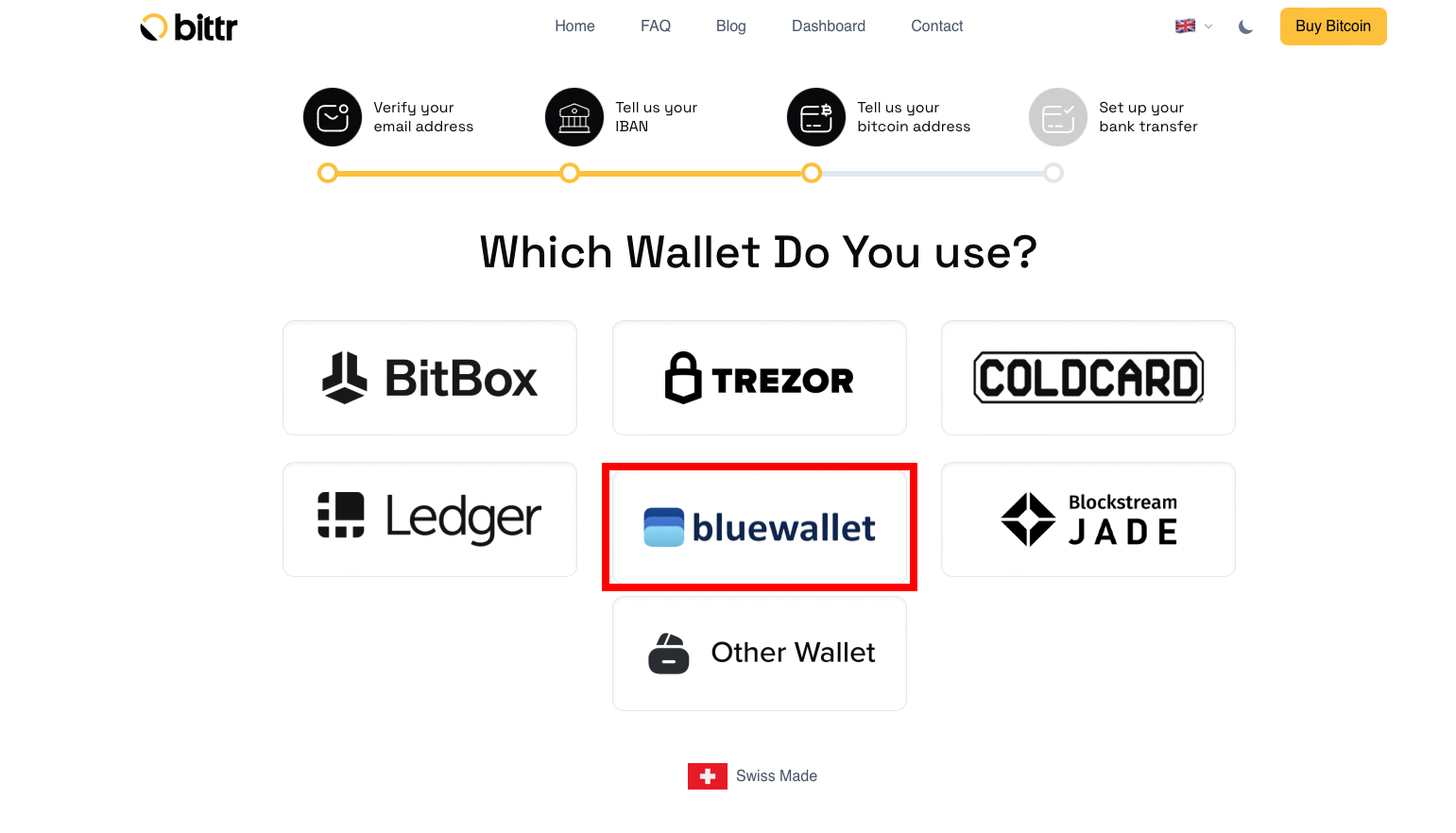
How do I set up BlueWallet on iOS/Android?
2) Download the BlueWallet App here: (App Store / Google Play).
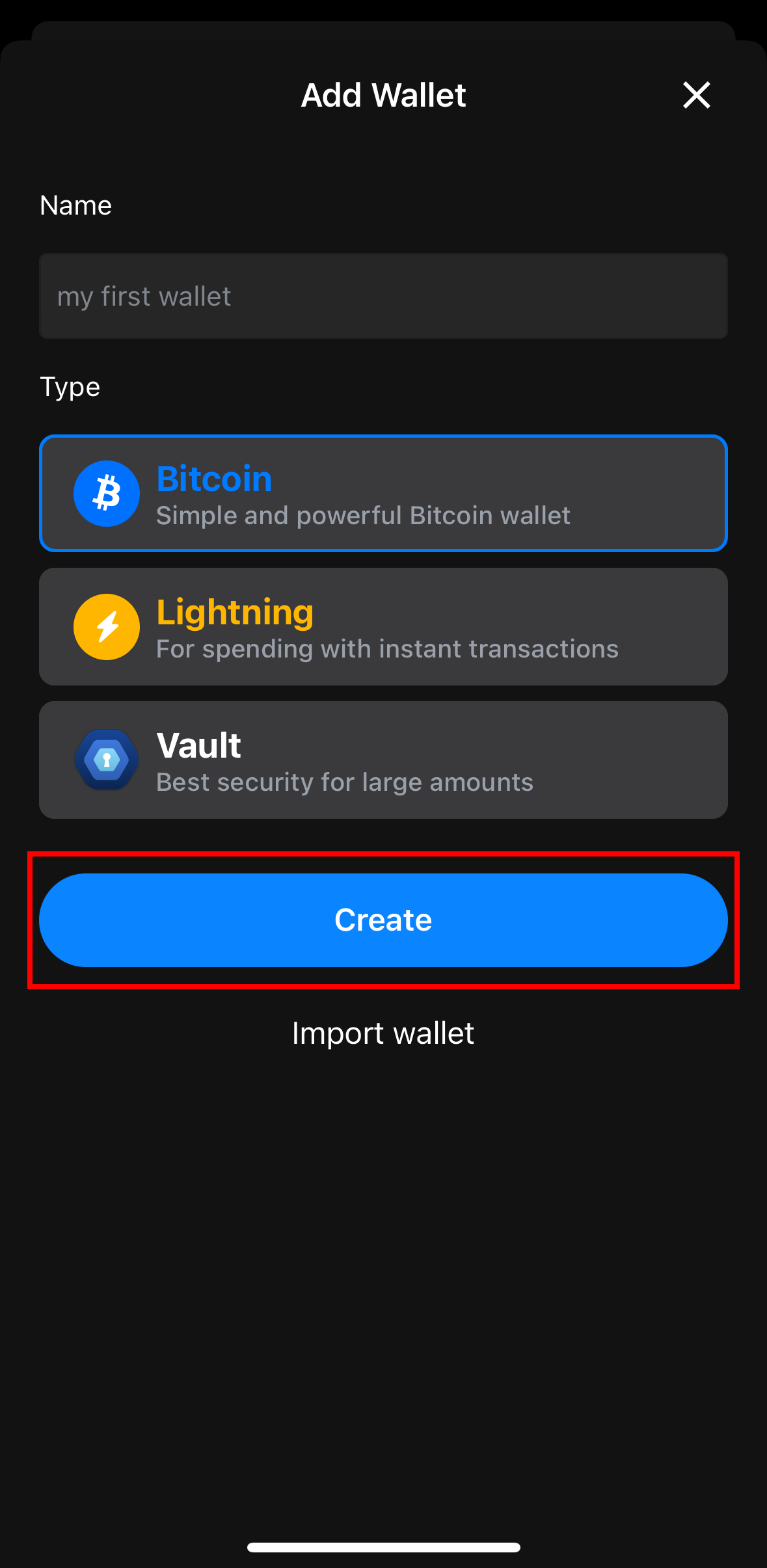
3) If you don’t have a wallet, click on “Add a wallet”. If you already have a Wallet go to Step 4.
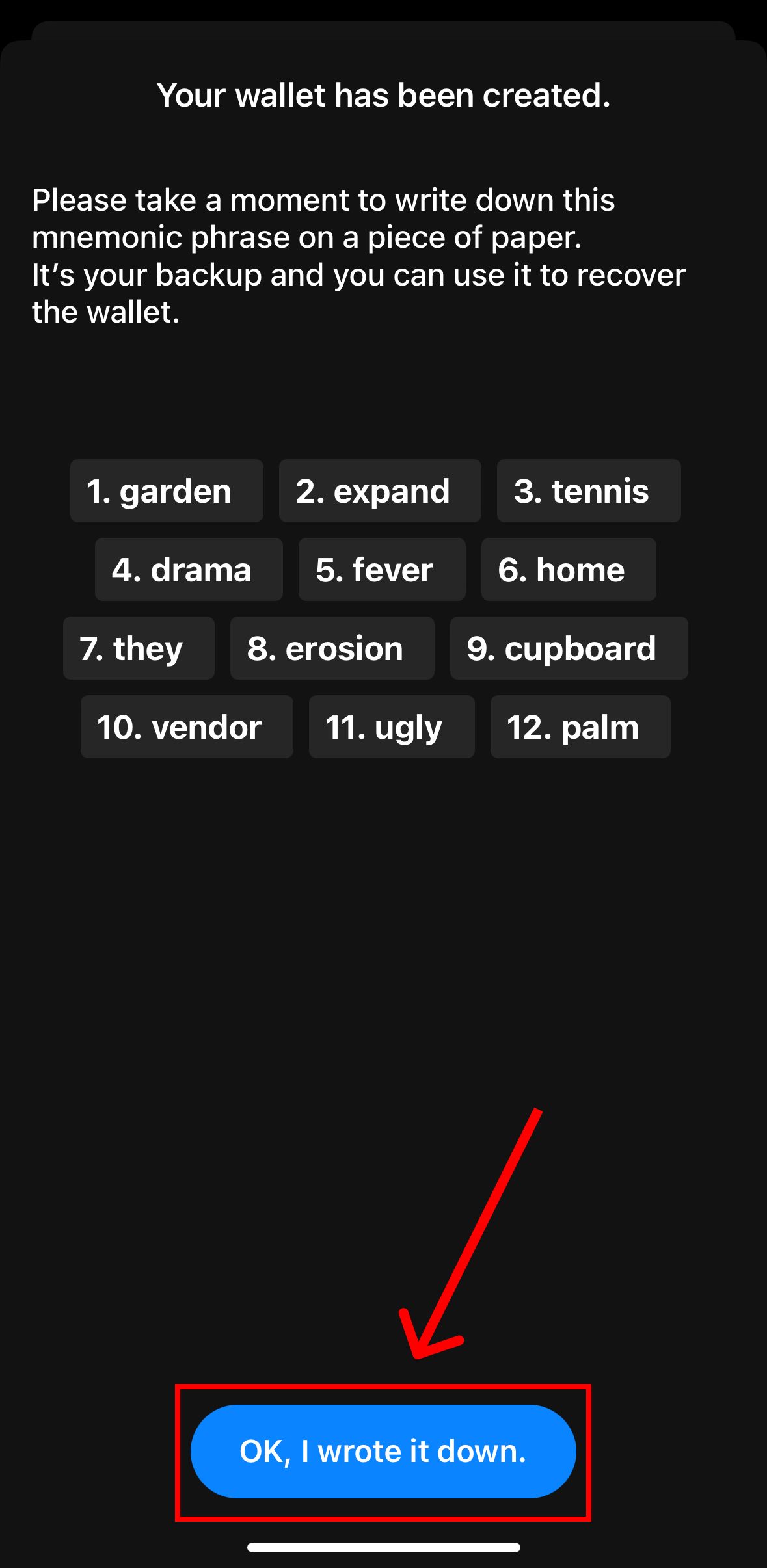
Crucial: Write down the 12 words BlueWallet shows you on a piece of paper and select “OK, I wrote it down”.
| Create Wallet | Write down your 12 words |
|---|---|
 |  |
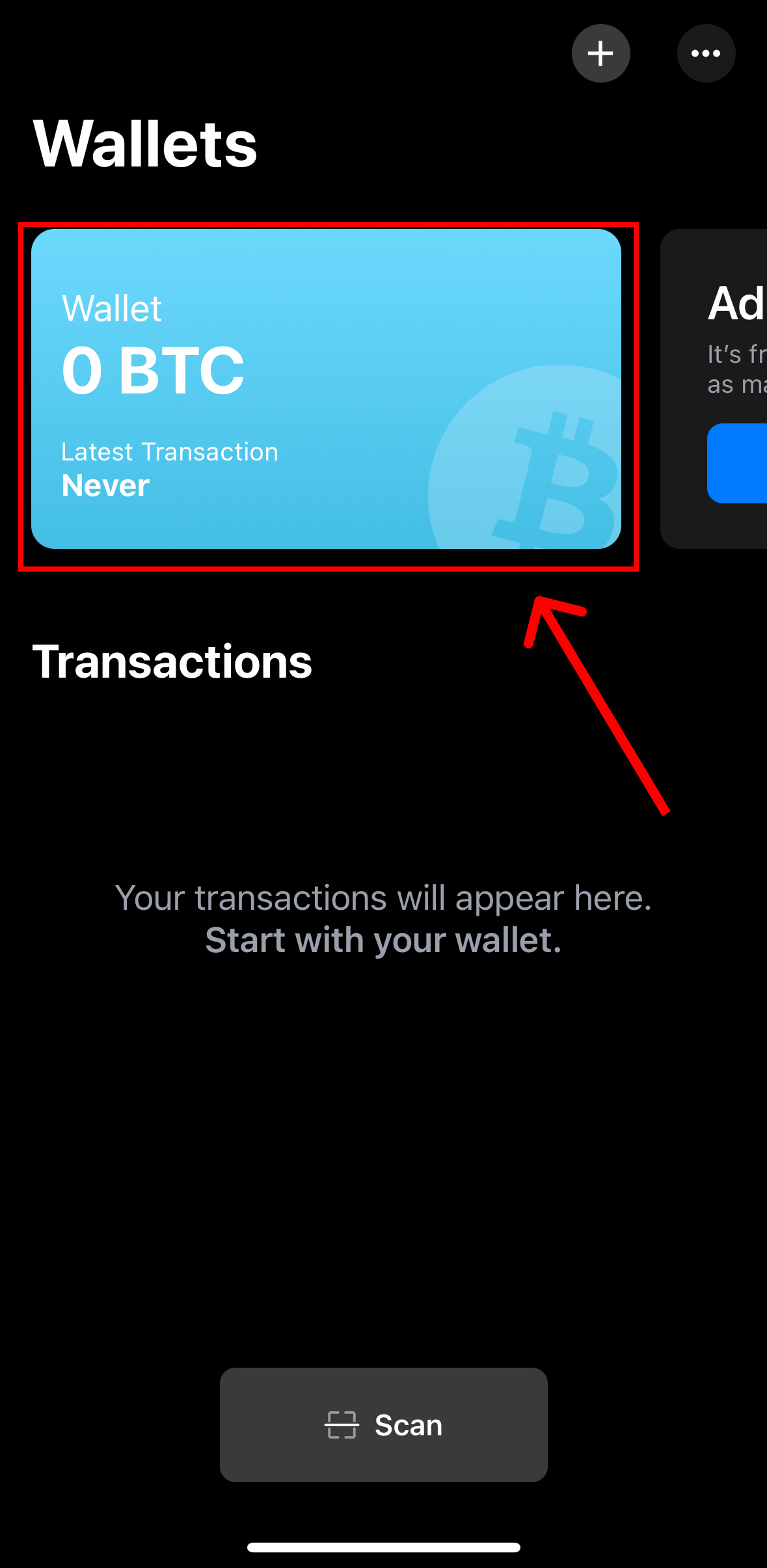
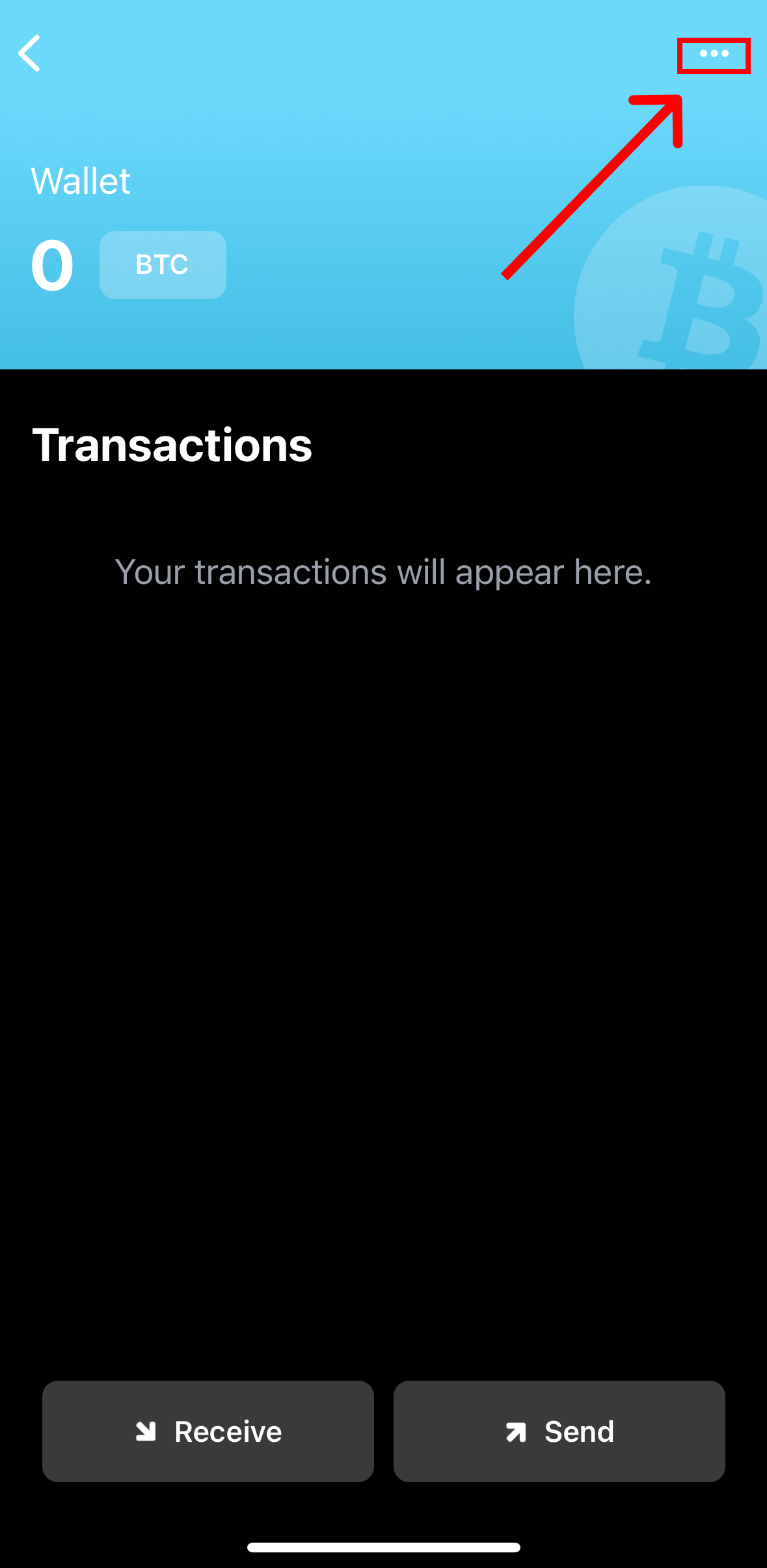
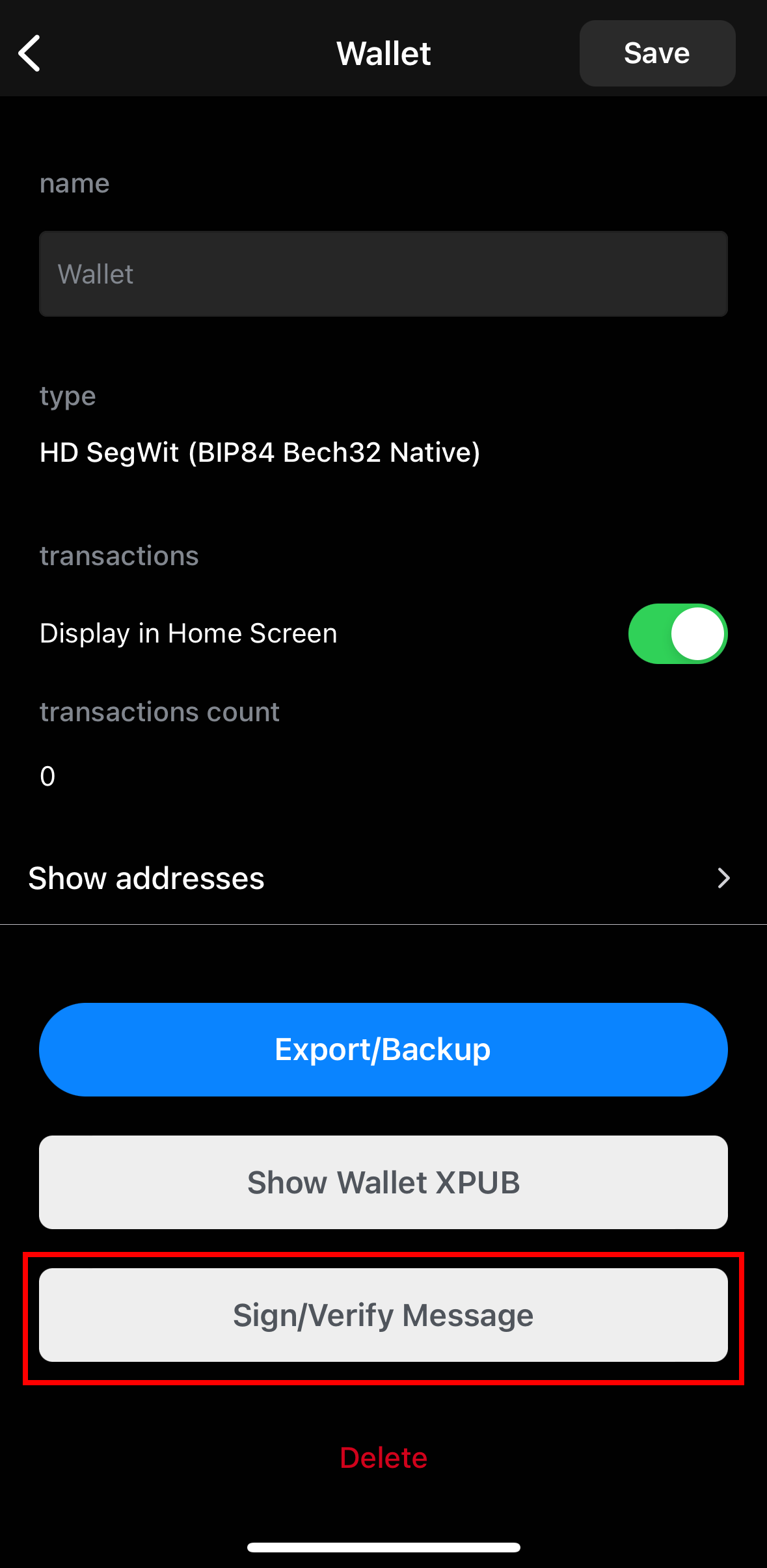
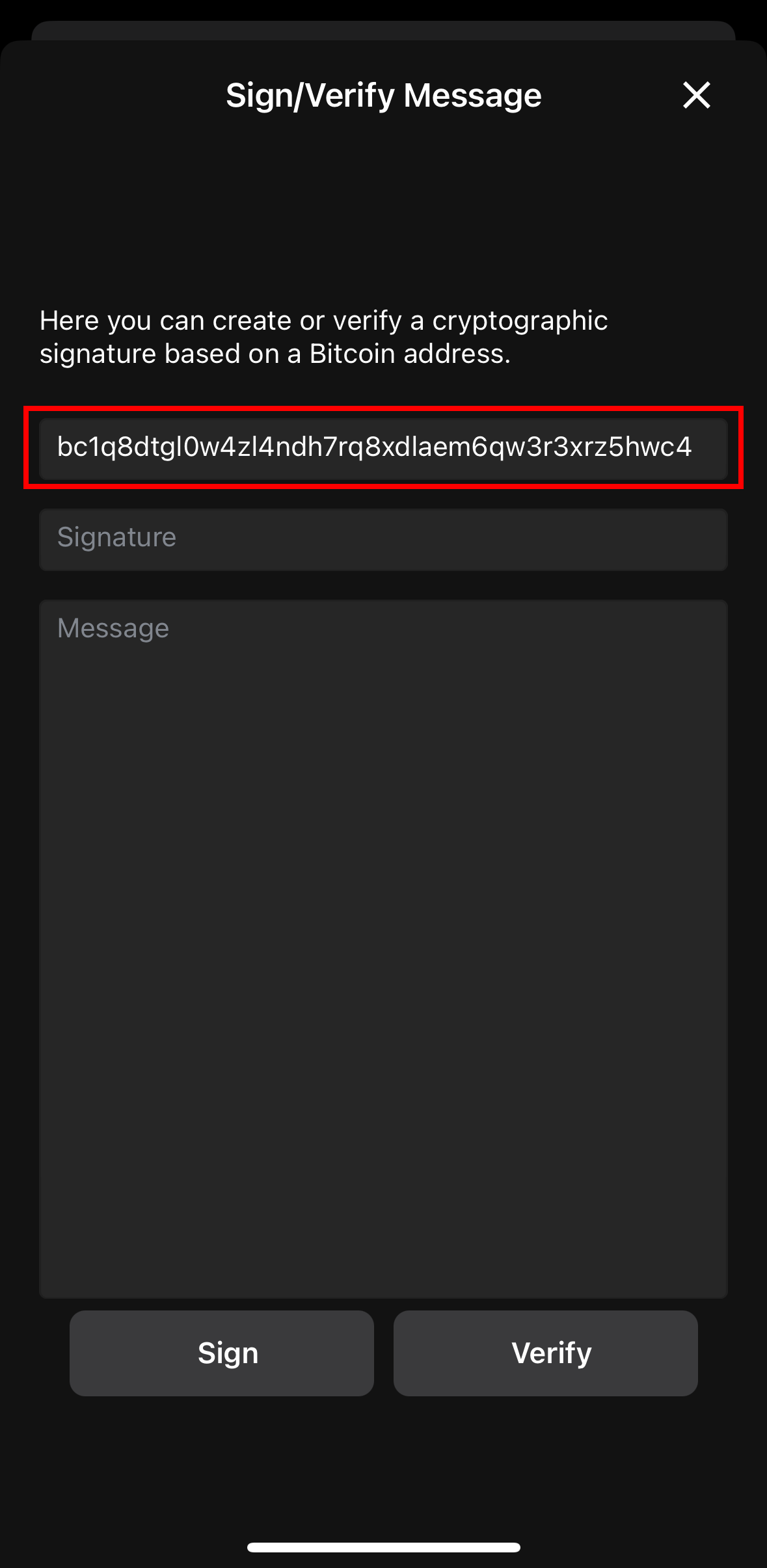
4) Select your Wallet and go the Message Signing
| Select Your Wallet | Click on the three dots in the top right corner |
|---|---|
 |  |
| Click Sign/Verify Message | Copy your Bitcoin Address |
|---|---|
 |  |
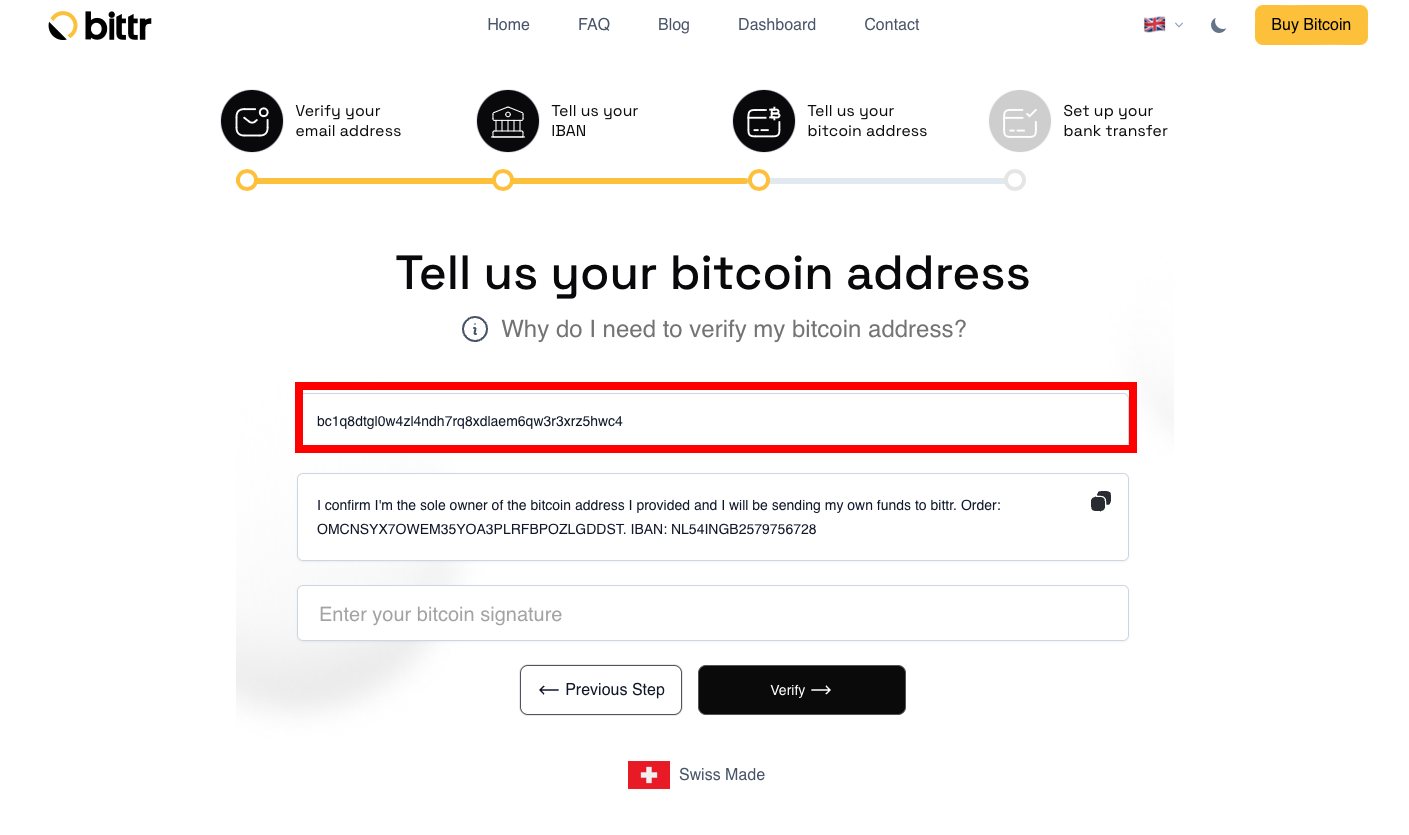
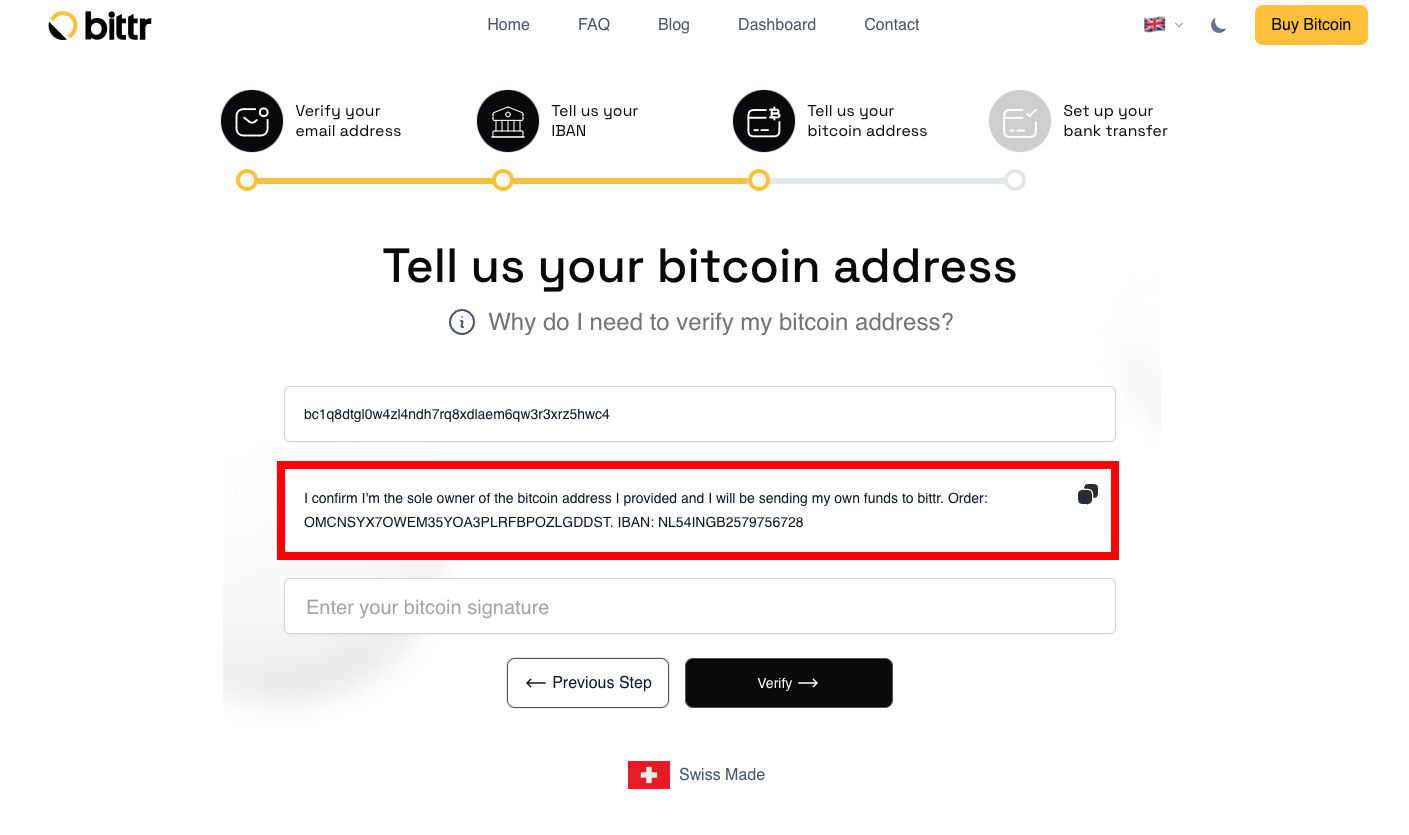
5) Tell us your Bitcoin Address
| Paste Address | Copy the Message to sign |
|---|---|
 |  |
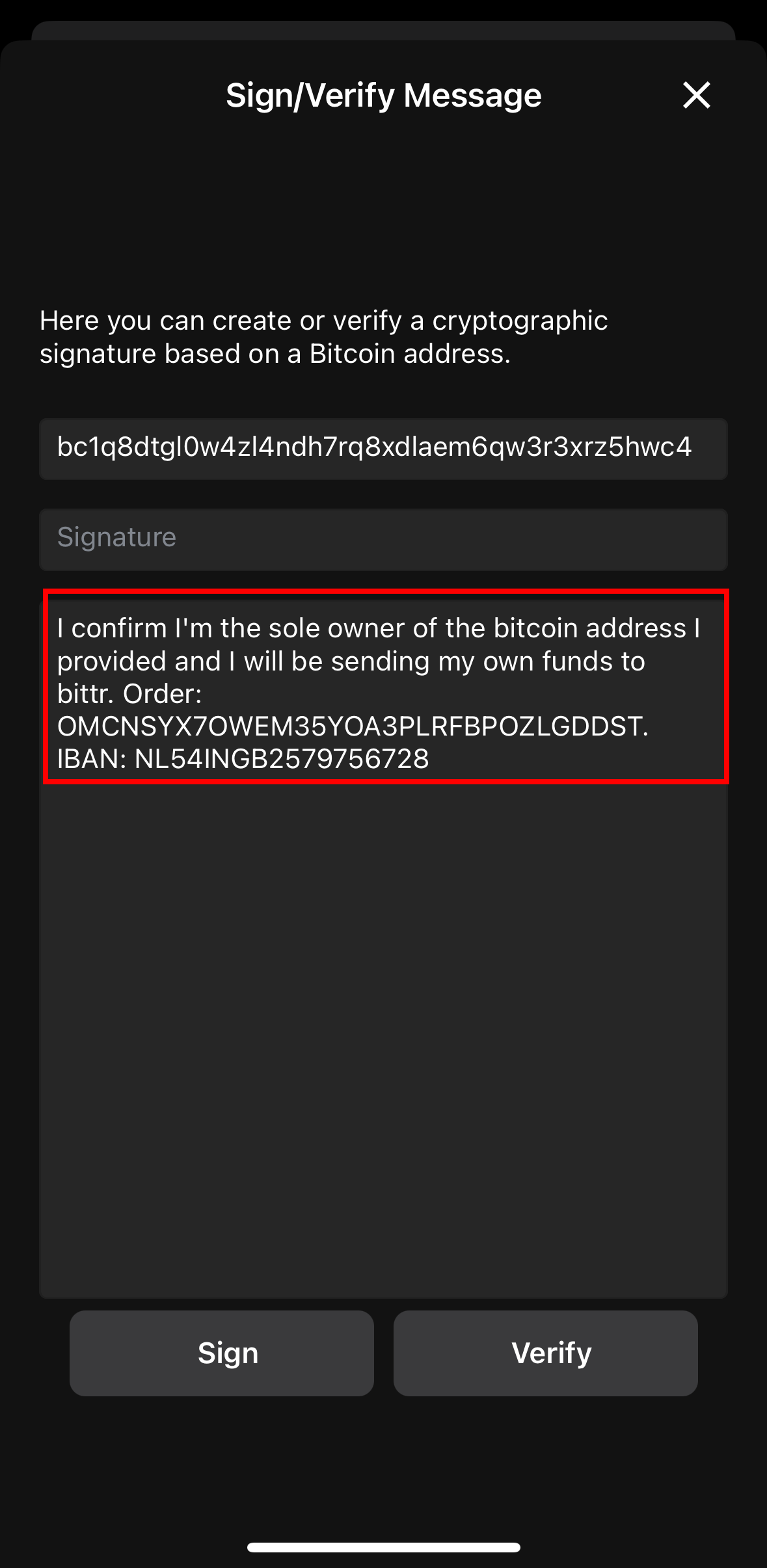
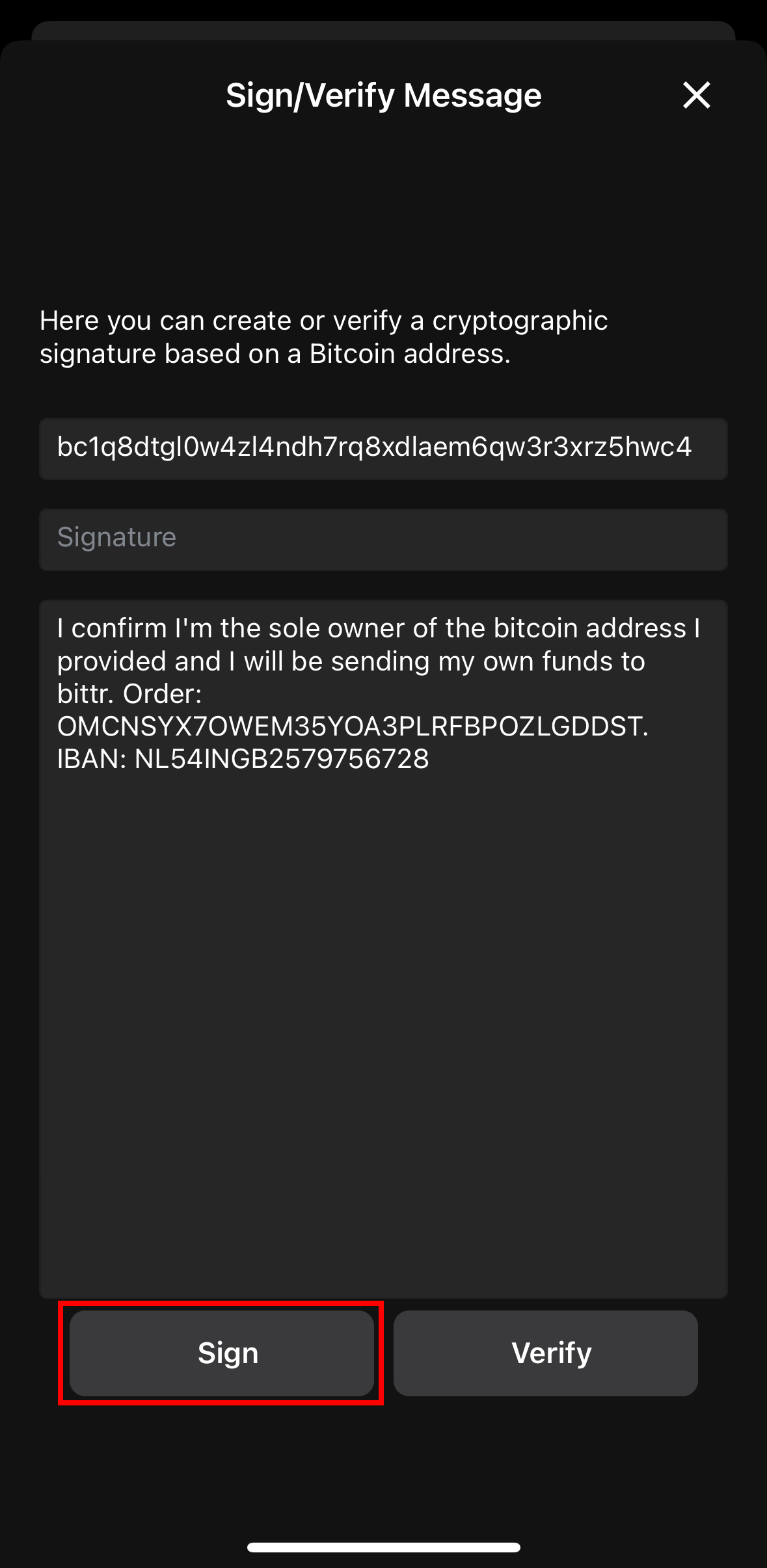
6) Sign the Message from Bittr
| Paste Message | Sign Message |
|---|---|
 |  |
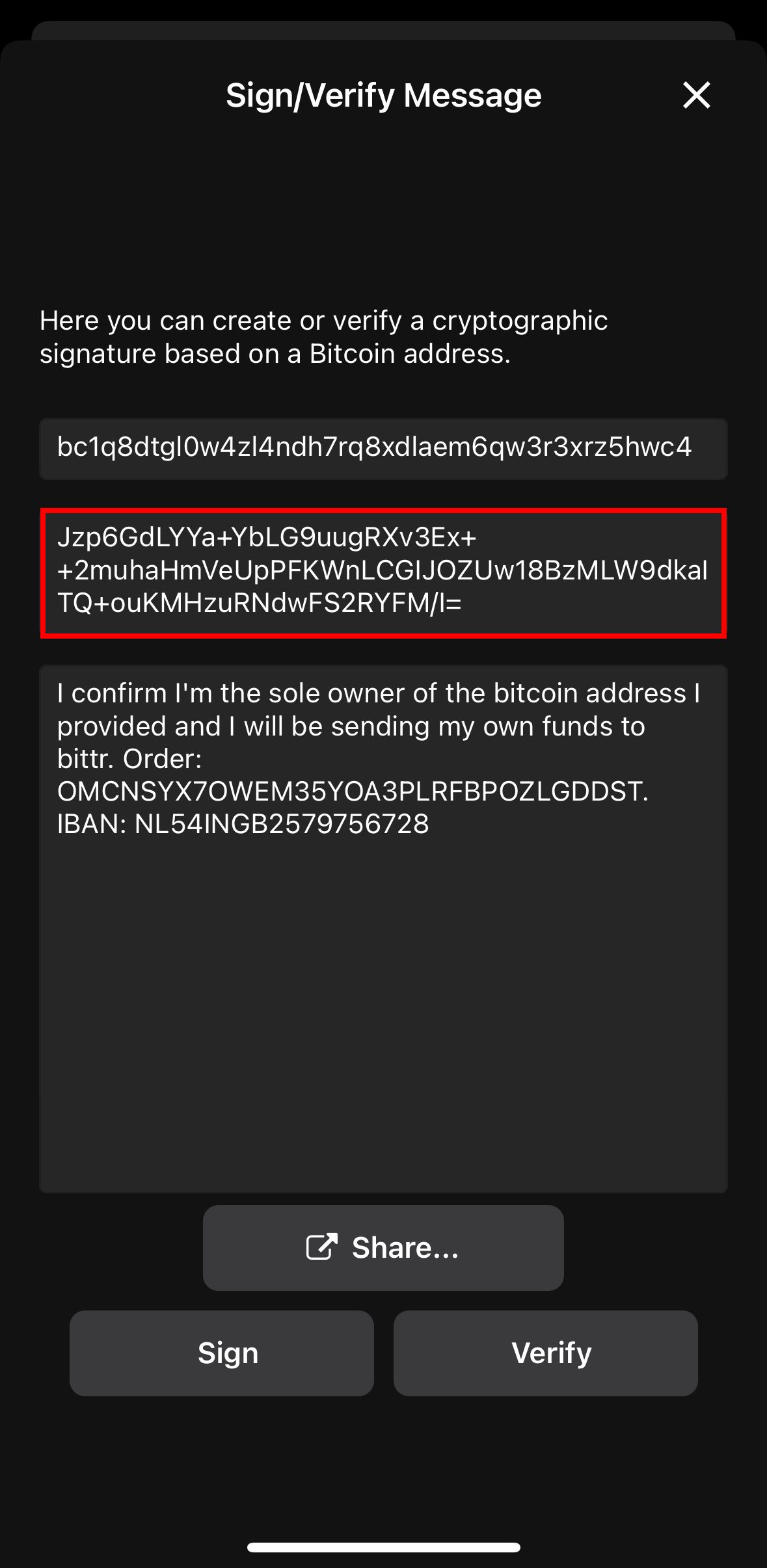
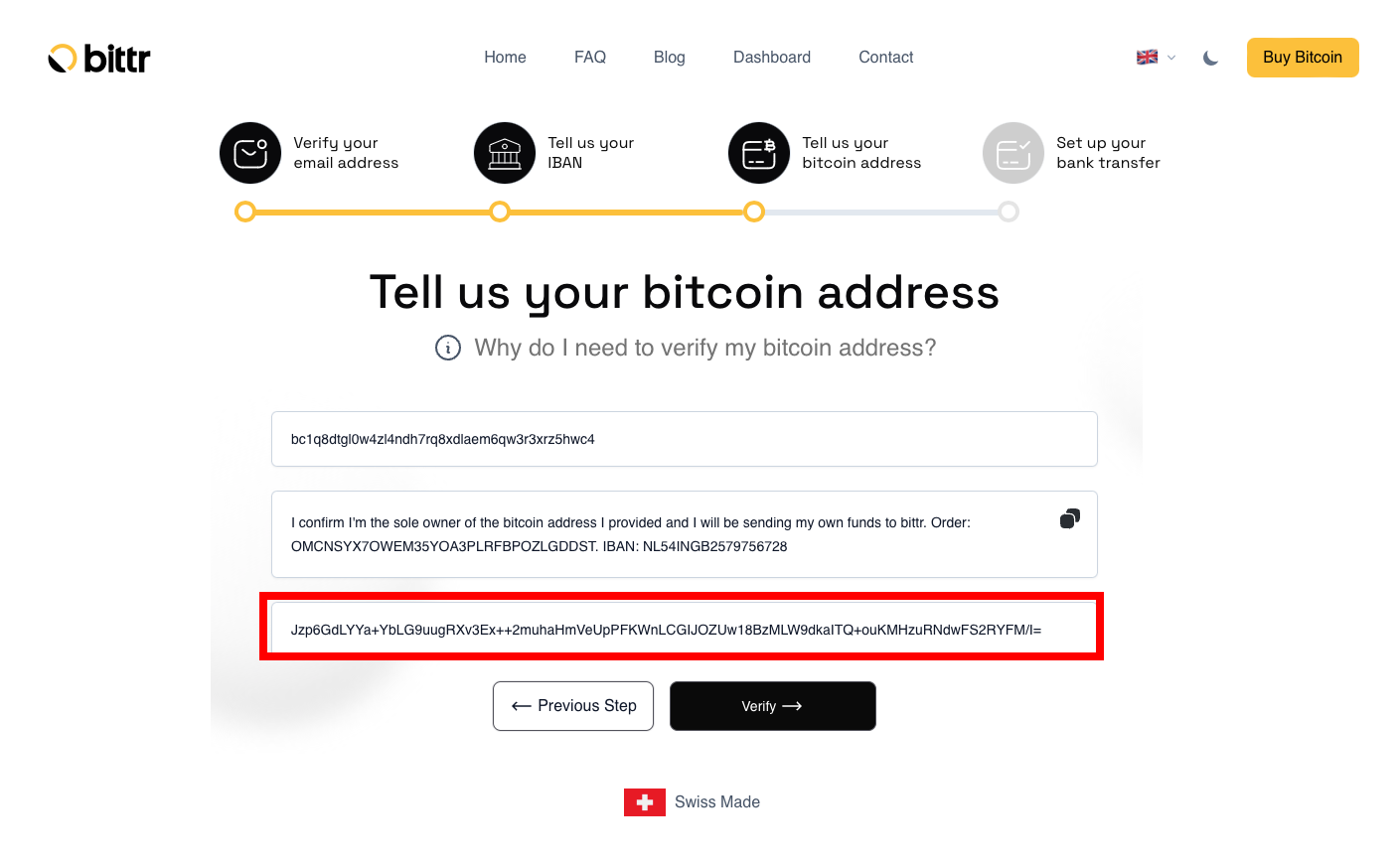
7) Paste the Signature for Bittr
| Copy Signature | Paste Signature |
|---|---|
 |  |
Woohoo, that’s it!🤩 Follow the steps on the website to get your details for the bank transfer and start buying Bitcoin.
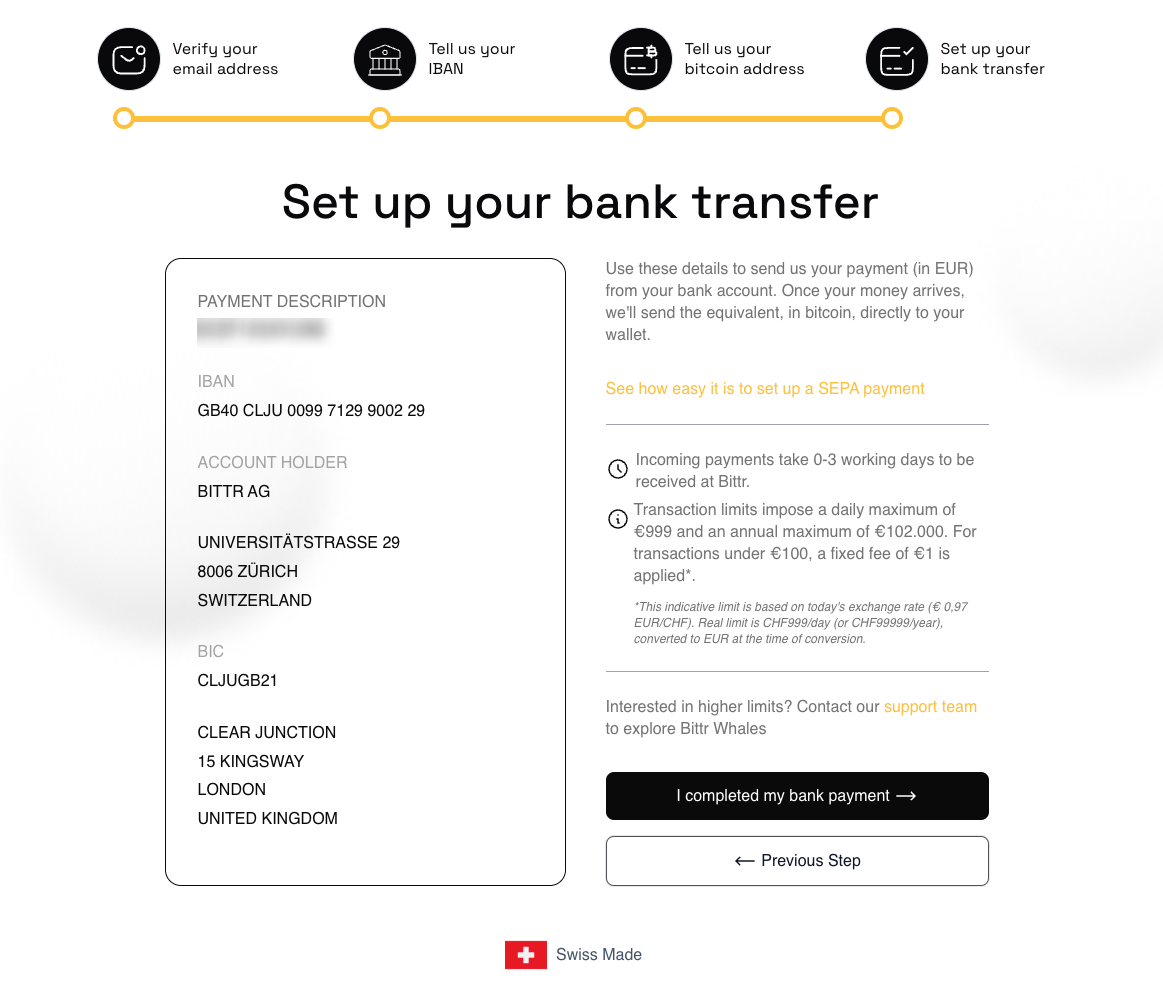
As soon as money arrives into our bank account, we will buy your Bitcoin, send the bitcoin directly to your BlueWallet and email you the transaction details (including the exchange rate at the time of conversion).
Anything that didn't work? We're always here to help you! 🧡 Send us a message: support@getbittr.com
Hodlcat
Author
Hodlcat is a bitcoiner who was impressed by bittr and the authenticity of the project right from the start. So he decided to support Ruben in his mission to make it possible for everyone to save in Bitcoin. He takes care of the bittr community.